

Norlux Wireless Connect
Quick Start Guide
Are you going to set up lighting control with Norlux Wireless Connect? In this guide, we'll show you the basics to get started.
NWC QUICK START GUIDE
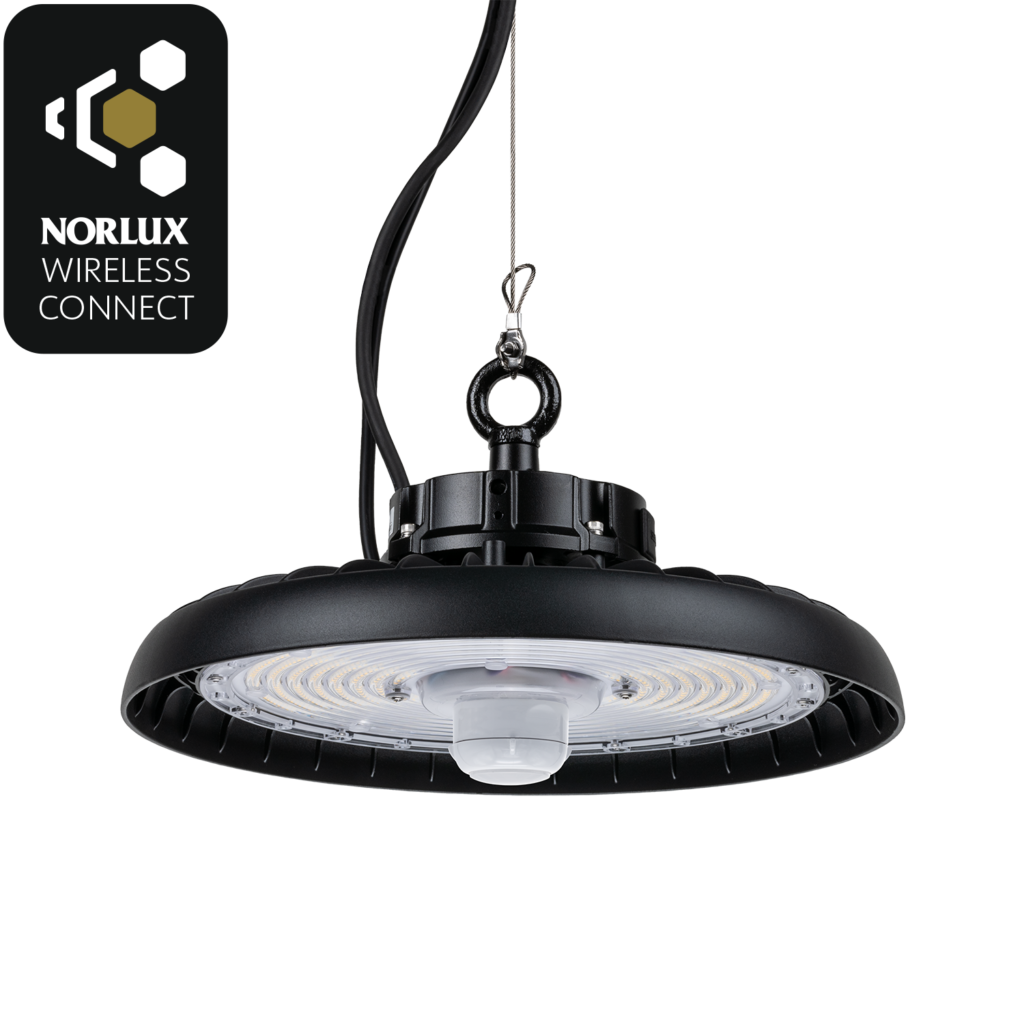
Most of the lamps in this product category come with NWC integrated. We also have products that are NWC compatible. These can be made smart with the NWC plugin.
Installation manual is available on the product page and enclosed in the box.
Configure and control your lighting with the Norlux Wireless Connect app.
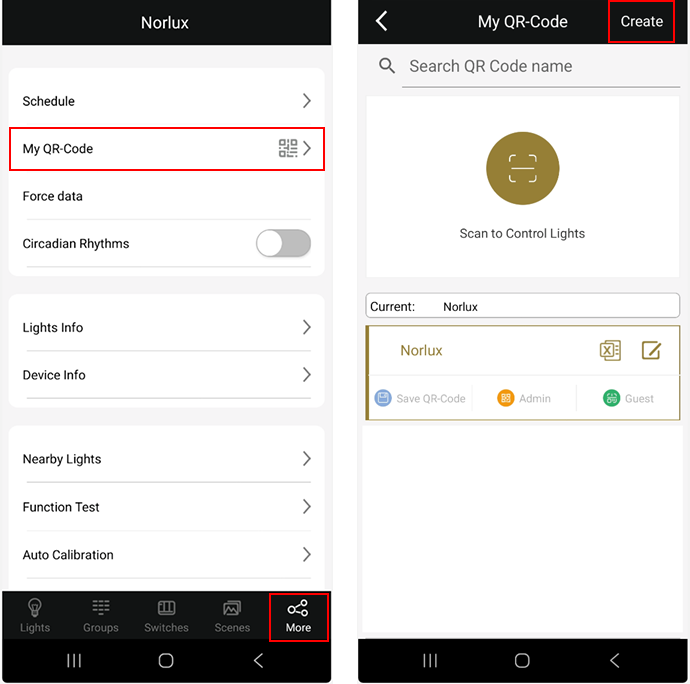
A project corresponds to a lighting zone. Project/zone is created in the NWC app. Upon creation, QR codes are generated that provide access to the project. It is important to store the QR codes securely.
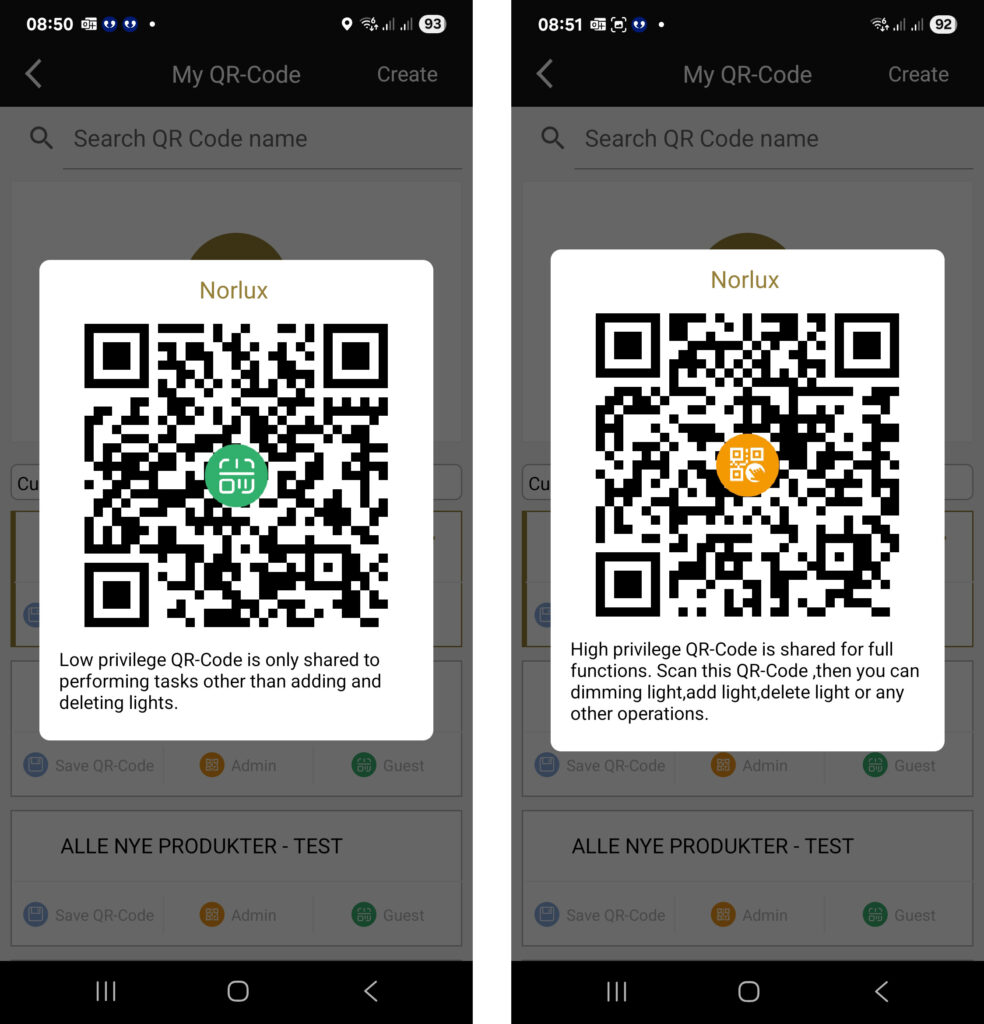
A project can consist of up to 100 lamps/nodes, and an installation in a building can consist of several projects/zones. (Admin is orange with all access and green is guest, only for controlling lights).
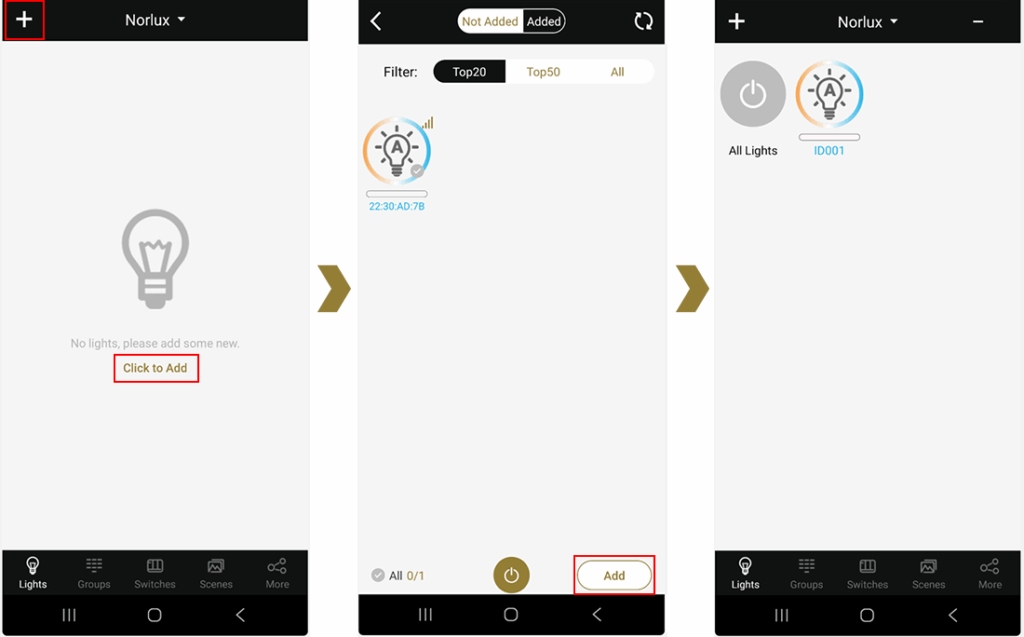
First, add lights under Lights. All lights you have contact with will automatically appear. Add lights and give them names so you can easily make changes later.
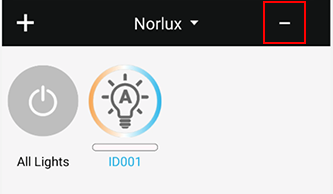
Select the minus icon if you want to delete a lamp.
Setting the after-run time
Press and hold the lamp icon. This will bring up this image.
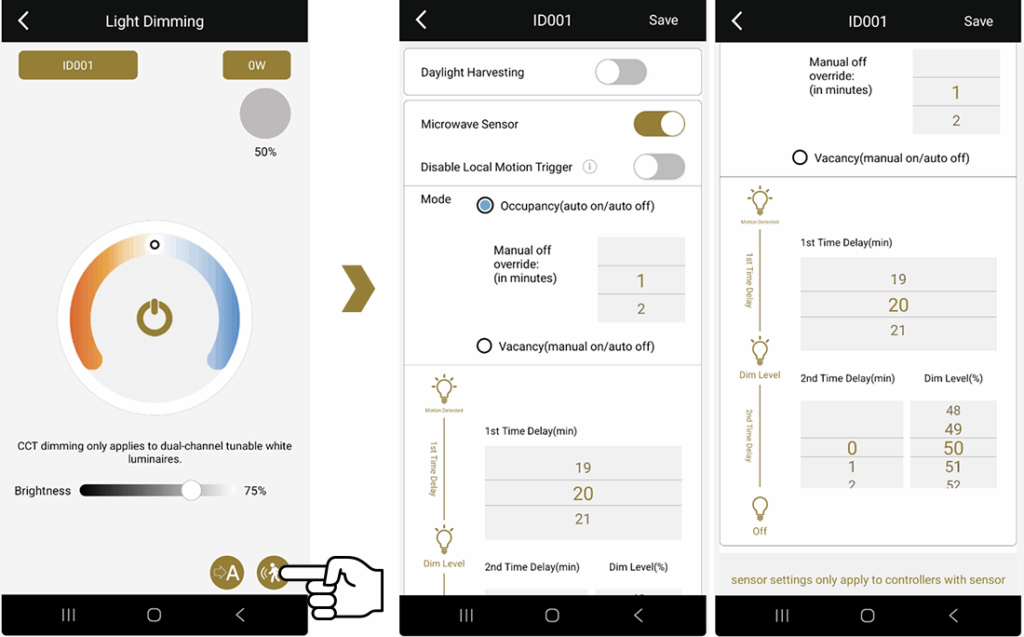
Press and hold the icon that shows a person in motion. Set 1st Time to set how long the light will stay on after there is no movement.
For example, if you want the light to never turn off, but dim to 30%, use 2nd Time. If this is not applicable, set 2nd Time to 0.
Create a group
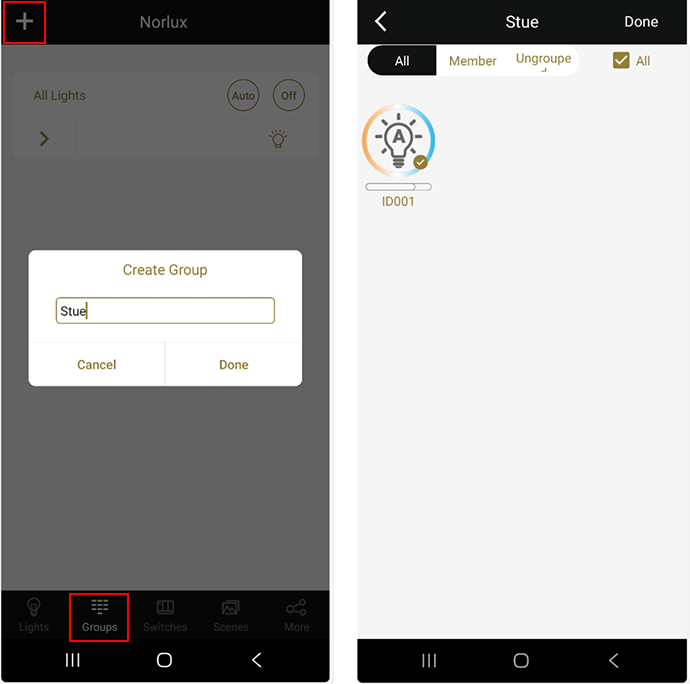
Select the Groups tab and press the plus icon to create a new group. Give the group a descriptive name. Then select which lamps should be included in the group. Any settings made at the group level will then apply to all lamps in the group.
Read more about Norlux Wireless Connect here .



Lars Fredrik Bråthen
Sales Manager – Commercial / LMS

+47 99 20 23 95
lars.fredrik.brathen@norlux.com




We help you with your project
Do you need lighting control for your project? We can help you with solutions tailored to your needs. Talk to us or find your contact person here .